I’ve personally cycled through at least four budgeting apps over the years, abandoning most within a month because they demanded too much manual entry. The best budgeting apps in 2026 have gotten genuinely smarter about automating the boring parts, which is honestly the only reason people stick with them long-term.
What Actually Makes a Budgeting App Worth Using
Before comparing specific apps, it’s worth knowing what separates a genuinely useful app from one you’ll delete in three weeks:
- Automatic bank/UPI transaction syncing, not manual entry
- Clear, simple visual breakdowns rather than overwhelming spreadsheet-style data
- Bill reminders and recurring expense tracking
- Reasonable pricing — or a genuinely useful free tier
The best budgeting apps in 2026 combine automatic bank account syncing with intuitive spending categorization, helping users track expenses without manual data entry — which is the single biggest reason most people abandon budgeting apps within the first month.
Popular Budgeting Apps Worth Considering
1. Apps with Bank/UPI Auto-Sync
Several Indian fintech apps now connect directly with bank accounts and UPI transactions via account aggregator frameworks, automatically categorizing spending without you lifting a finger. This is genuinely the biggest quality-of-life improvement in budgeting apps over the past few years.
2. Envelope-Method Apps
Based on the classic cash-envelope budgeting system, these apps let you allocate specific amounts to categories (groceries, entertainment, transport) and alert you when you’re close to the limit.
3. Investment-Integrated Budgeting Apps
Some platforms combine budgeting with investment tracking, giving a unified view of both spending and portfolio growth — useful if you want one app instead of juggling three.
A Realistic Comparison Framework
| Feature | Why It Matters |
| Auto bank sync | Removes manual entry friction — the top reason apps get abandoned |
| Category customization | Generic categories rarely match real spending patterns |
| Bill reminders | Prevents late fees and missed payments |
| Data privacy/security | Handling bank data requires strong encryption and RBI-compliant frameworks |
What to Watch Out For With Fintech Budgeting Apps
I’ve noticed people sometimes connect their bank accounts to apps without checking security credentials first. Always verify the app uses RBI-approved Account Aggregator frameworks for bank syncing, rather than asking for your net banking password directly — a major red flag if it does.
[link to related guide about the 50/30/20 budget rule here]
A Practical Scenario
Picture someone who’s tried manual spreadsheet budgeting three times and given up each time within two weeks. Switching to an app with automatic UPI transaction categorization means the tracking happens passively in the background — they just check a weekly summary rather than logging every coffee purchase manually. This shift from active to passive tracking is often the difference between sticking with budgeting long-term or abandoning it again.
Free vs Paid Budgeting Apps
Many budgeting apps offer solid free tiers covering basic tracking and categorization, with premium tiers unlocking features like detailed investment tracking, multiple account syncing, or advanced goal-setting tools. For most beginners, the free tier is genuinely enough to start building the habit.
Mistakes People Make With Budgeting Apps
Setting up an overly complicated category system on day one is a common trap — 20+ granular categories sound thorough but usually leads to abandonment within weeks. Start simple: 5-6 broad categories, and refine only after the habit sticks.
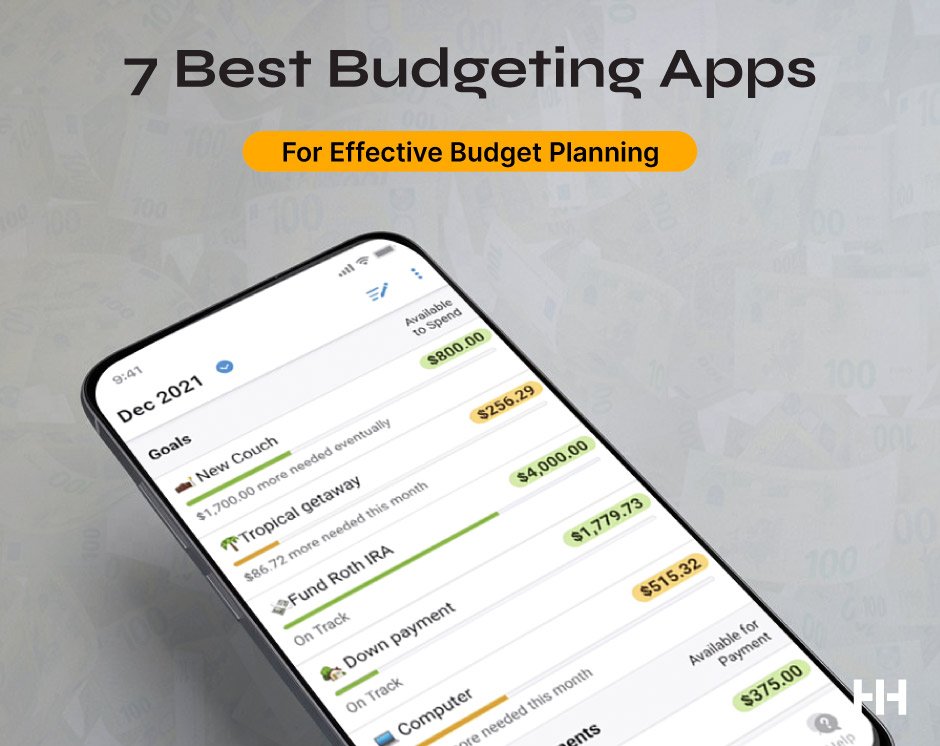
Suggested alt text: “Smartphone screen showing budgeting app with automatic expense categorization and spending charts”
FAQ
Are budgeting apps safe to connect with my bank account? Yes, if they use RBI-approved Account Aggregator frameworks for syncing — avoid any app asking directly for your net banking password.
What’s the best free budgeting app for beginners? Many fintech apps offer solid free tiers with automatic transaction categorization; the “best” one often depends on which bank integrations you need.
Do budgeting apps work with UPI transactions? Yes, most modern Indian budgeting apps automatically sync and categorize UPI transactions alongside regular bank transactions.
How long does it take for a budgeting app habit to stick? Typically 4-6 weeks of consistent use before it becomes a genuine habit rather than something you have to remember to check.
Should I use a budgeting app or a simple spreadsheet? Apps with automatic syncing generally have much higher long-term adherence rates compared to manual spreadsheets, simply due to reduced effort required.
Conclusion
Finding the best budgeting apps for your situation comes down to how much manual effort you’re realistically willing to put in — and for most people, the honest answer is “not much.” Pick an app with strong automatic syncing, start with simple categories, and give it at least a month before judging whether it’s actually working for you.